
Compass e-Access5.8 - App Store
You'll be able to see results in few seconds.
Publisher Description
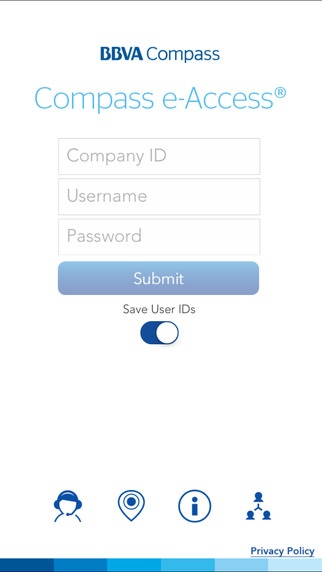
Compass e-Access Mobile offers you a convenient and secure way to manage your company s critical banking needs while on the go anywhere, anytime. The mobile access channel, combined with Compass e-Access functionalities of delivering event-based alert notifications and One-Time Passcodes by phone, e-mail or text message, provides a commercial mobile solution.
FEATURES:
Check Balances - View current day and previous day balances and detailed transactions, with up to 30 days of transaction history
Account Transfers - Initiate transfers between your permitted accounts
ACH Approvals Review, approve, or delete ACH batches and Pass Thru files
Wire Approvals Review, approve, or delete wire transfers
ACH Batch Initiation- Initiate ACH batches from templates
Wire Transfer Initiation (small businesses)- Initiate wire transfers from templates
Stop Payment- Create a request for a stop payment for a single check or range
Locations - Find nearby BBVA Compass branches and driving directions from your current location
Contacts Easy access to your regional Business Relationship Services Client Services team
Security Mobile access entitlements coincide with your existing Compass e-Access services, accounts, and limit permissions. Each user s same multifactor authentication method (RSA SecurID token or One-Time Passcodes) will apply to mobile login and transaction approvals.
To get started, download and launch this free app. Then sign on with your Compass e-Access credentials and selected multifactor authentication method. Please note that your Corporate Administrator must permit your user ID to use this mobile app.
For mobile app assistance, please call 1-866-488-1858.
For general assistance, please call 1-800-607-4444.
Access and/or usage fees may apply according to your wireless plan. Please check with your wireless carrier about such fees.
At BBVA Compass, we ve taken great steps to ensure that transactions to or from BBVA Compass are completely secure. Total security, however, is a joint effort that includes you, BBVA Compass, and your wireless carrier or internet service provider.
BBVA Compass is a trade name of Compass Bank, a member of the BBVA Group. Compass Bank, member FDIC.
Requires iOS 7.0 or later. Compatible with iPhone, iPad, and iPod touch.
About Compass e-Access
The company that develops Compass e-Access is BBVA Compass. The latest version released by its developer is 5.8.
To install Compass e-Access on your iOS device, just click the green Continue To App button above to start the installation process. The app is listed on our website since 2014-08-14 and was downloaded 0 times. We have already checked if the download link is safe, however for your own protection we recommend that you scan the downloaded app with your antivirus. Your antivirus may detect the Compass e-Access as malware if the download link is broken.
How to install Compass e-Access on your iOS device:
- Click on the Continue To App button on our website. This will redirect you to the App Store.
- Once the Compass e-Access is shown in the iTunes listing of your iOS device, you can start its download and installation. Tap on the GET button to the right of the app to start downloading it.
- If you are not logged-in the iOS appstore app, you'll be prompted for your your Apple ID and/or password.
- After Compass e-Access is downloaded, you'll see an INSTALL button to the right. Tap on it to start the actual installation of the iOS app.
- Once installation is finished you can tap on the OPEN button to start it. Its icon will also be added to your device home screen.
Program Details
System requirements
Download information
Pricing
Version History
version 5.8
posted on 2014-08-14
Disclaimer
Official App Store Link
We do not host Compass e-Access on our servers. We did not scan it for viruses, adware, spyware or other type of malware. This app is hosted by Apple and passed their terms and conditions to be listed there. We recommend caution when installing it.
The App Store link for Compass e-Access is provided to you by apps112.com without any warranties, representations or guarantees of any kind, so access it at your own risk.
If you have questions regarding this particular app contact the publisher directly. For questions about the functionalities of apps112.com contact us.
